How it works

From POS to performance, in four steps

No spreadsheets. No manual entry. No "we'll review it at the end of the month." Here's exactly what happens after you switch Upsel on.

1Connect

We plug Upsel into your POS

Our onboarding team connects Upsel to your point of sale and the systems around it: payroll, rostering, accounting. From that moment, every transaction flows into Upsel automatically and stays in sync.
  • Full setup handled by our team, you don't touch a thing
  • Sales and staff hours sync automatically, every day
  • Custom API integrations available for anything unusual
SquareLightspeedTevalisLoadedXeroDeputyPayHero+ more
Your POS Rostering Payroll Upsel syncing live · every shift
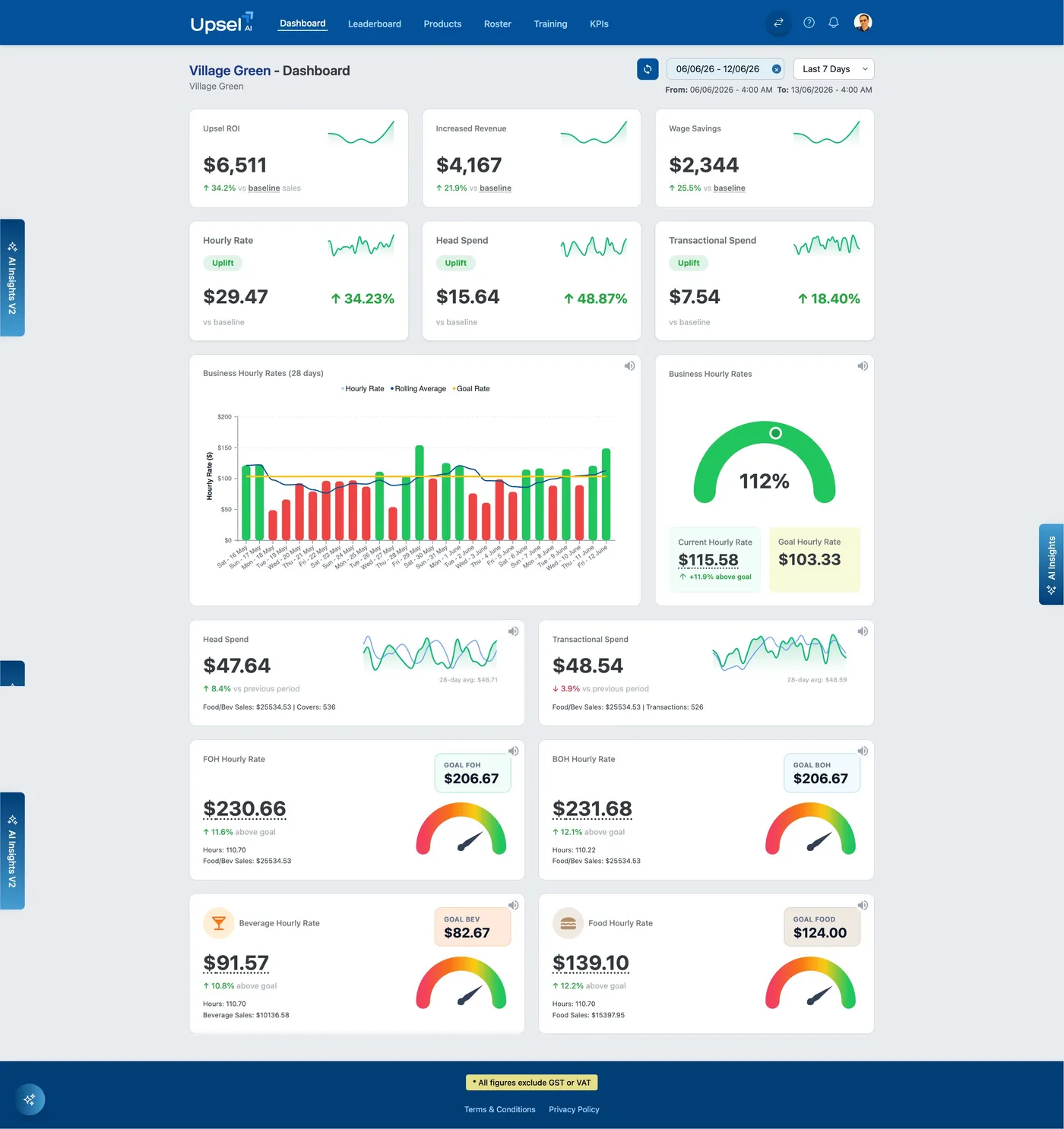
Upsel dashboard analysing revenue per hour, head spend and revenue uplift
2Track

One number that runs the venue: Revenue Per Hour

You pay your staff an hourly wage. Upsel tracks the hourly rate your revenue is paying back, and sets the target every hour worked in your venue should generate. No spreadsheets, no formulas: one number, measured live against your target and your pre-Upsel baseline.

  • Traffic-light simple: green when you're ahead of target, red shows the gap
  • Missing target? Upsel shows exactly where: department, shift and category
  • Ask follow-up questions in plain English with AI Assist
Live example: Village Green's dashboard shows a tracked $6,511 ROI and Revenue Per Hour running 11.9% above target, measured against their real baseline, not a vibe.
3Coach & compete

You see every shift clearly. They get a scoreboard, and a coach.

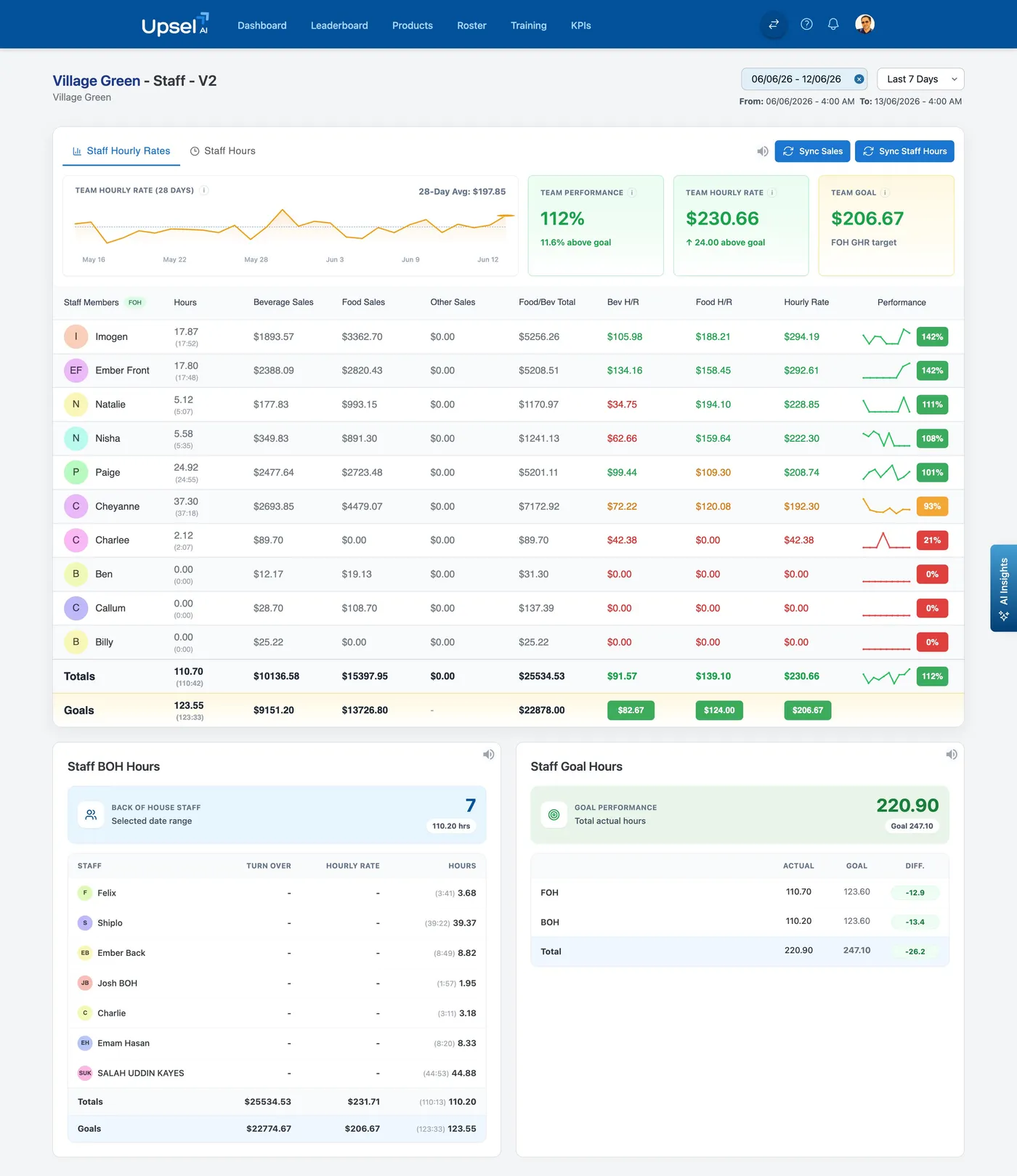
Total staff visibility for you: who's selling what, every shift, ranked on a live leaderboard. And for the team, the AI Coach turns those numbers into daily, personalised coaching: better service, bigger upsells.

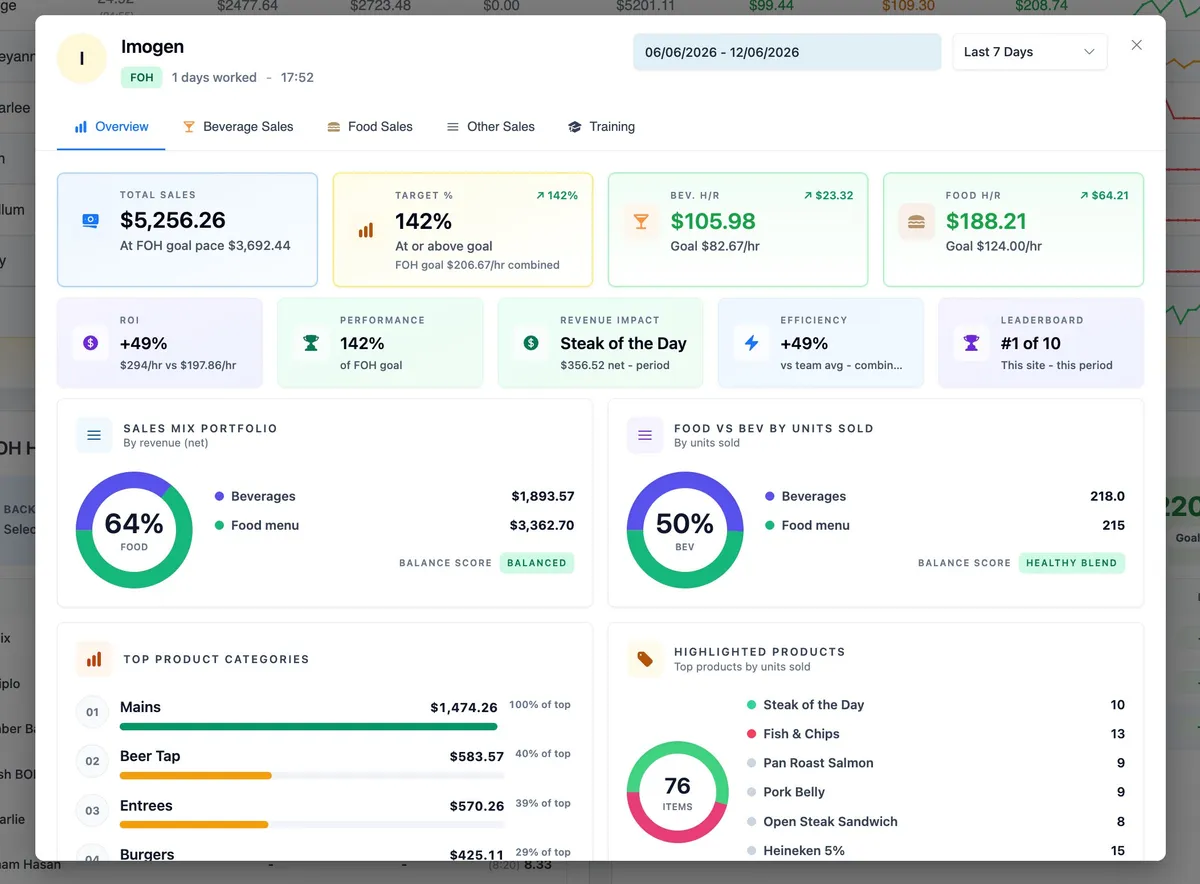
  • Personal profiles: sales mix, top products, performance vs team
  • Highlighted products push the high-margin items you choose
  • Training videos and quizzes staff complete on their own phones
Live example: Imogen ran at 142% of goal this week (#1 of 10 on site) with the Steak of the Day adding $356 net on its own. That's what visible performance does.
A server bringing drinks to a table of smiling guests
Team leaderboard and goal hours showing performance against targets
Staff profile showing Imogen at 142% of goal
4Optimise

Tighten the roster. Track the ROI. Repeat.

With performance visible per person and per shift, the AI Roster schedules your strongest mix of staff against your busiest hours, and the dashboard keeps score of exactly what Upsel is earning you, week after week.

  • AI Roster builds next week from sales patterns, budgets and events
  • Goal hours vs actual hours, FOH and BOH: overstaffing caught early
  • ROI, revenue uplift and wage savings tracked vs your baseline, forever
Live example: One week at Village Green: $4,167 increased revenue and $2,344 wage savings vs baseline, visible right on the dashboard.
What it adds up to

The compounding effect of every shift improving

Gain better Staff Visibility

Empower managers and spot high and low performers instantly with real-time dashboard data.

Reduce Staff Wage Costs

Cut unnecessary staff costs with our AI Roster and AI Assistant, with sharper tracking of staff wage costs.

Increase Sales & Upsells

Personalised staff training and feedback for better service and improving sales, shift after shift.

Improve Staff Accountability

Get personalised staff-level sales reports and insights based on performance, hourly rates and BOH vs FOH.